- Your cart is empty
- Continue Shopping



Ziston – Local Business Listings Elementor Template Kit

Ziston – Local Business Listings Elementor Template Kit
₹199.00
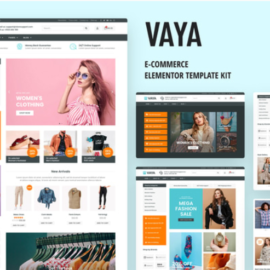
Ziston is a smart Elementor Template Kit with a modern design layout. This Template mainly focused on Local and Global Business Listings, , Local Food Listings, and similar Services. The Template well optimized, Full responsive, conversion Rate Optimization, High Resolution and Ease of Customization.
Add to cart
Buy Now
Kit Key Features:
- 2 Home pages Unique
- Local & Global Directory & Listings
- Directory & Listings Template Kit
- No Coding Knowledge
- no upgrades required
- Header & Footer Builder Included
- One Click Import
- Unique and Modern Style.
- Clear and Clean Layout
- Cross browser compatible
- Post Widget
- Carousel Slide Box ( Create sliders with anything )
- Responsive and Retina Ready
- Compatible with most WordPress theme
- Optimized for search engines
Required Plugins :
- Elementor
- Themesflat Addons For Elementor
- MetForm
- ElementsKit Lite
- Sticky Header Effects for Elementor Note: This kit does not include directory, classified functionality or listing submission.
How to Import Metforms
- Import the metform block templates
- Import the page template where the form appears and right-click to enable the Navigator
- Locate and select the Metform widget and click Edit Form. Choose New, then Edit Form. The builder will appear
- Click ‘Add Template’ grey folder icon.
- Click ‘My Templates’ tab.
- Choose your imported metform template, then click ‘Insert’ (click No for page settings).
- Once the template is loaded, make any desired customizations and click ‘Update & Close’ The form will appear in the template
- Click Update
Setup Global Header and Footer in ElementsKit
- Import the header and footer template
- Go to ElementsKit > Header Footer and click Add New (if prompted with a wizard, you may click Next through it without taking any action)
- Title the header, leave Entire Site selected and toggle Activation to On
- Click the gray Edit Content button to load the builder
- Click the gray folder icon and select the header template to import, select your menu in the nav element and click Update.
- Repeat for Footer
Related products