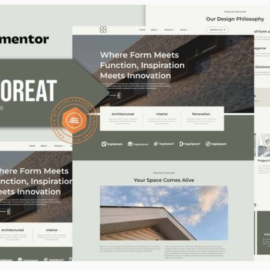







Suki – Meditation Channel Elementor Template Kit

Suki – Meditation Channel Elementor Template Kit
₹199.00
it is optimized for the free Hello Elementor theme but can be used with most themes that support the Elementor page builder. Customize fonts and colors via the built in Elementor Theme Styles controls and load in your photos, logos and content using the visual drag and drop builder.
Add to cart
Buy Now
it is optimized for the free Hello Elementor theme but can be used with most themes that support the Elementor page builder. Customize fonts and colors via the built in Elementor Theme Styles controls and load in your photos, logos and content using the visual drag and drop builder.
Page Templates
- Home
- Membership
- About
- Video Library
- Faq
- Contact
- Bonus
Elementor Pro upgrade is required for some templates and features (not included)
Elementor Pro Theme Builder
- Global Theme Styles
- Error 404
- Single Post
- Blog
- Header
- Footer
- Shop
- Cart
- Checkout
- My account
- Purchase summary
- Single Product
Save time and money: Why is a template kit better than a WordPress theme?
When you switch themes, you lost content, styling and features. Template Kits are theme-agnostic and only require evergreen plugins that change and update seamlessly along with WordPress.
- True no-code customization with drag and drop visual builder
- Customize fonts and colors in one place or fine-tune on individual elements
- Modern, professional design
- Fast-loading
- Works with most Elementor themes.
Required Plugins (included)
- Elementor
- WooCommerce
Elementor Pro upgrade is required for some templates and features (not included) Elementor Pro includes premium support and access to additional templates and customization resources.
How to Use Template Kits:
- Install and Activate the “Envato Elements” plugin from Plugins > Add New in WordPress
- Download your kit file and Do not unzip
- Go to Elements > Installed Kits and click the Upload Template Kit button. You may also import automatically by clicking Connect Account to link your Elements subscription, then import under Elements > Template Kits.
- Check for the orange banner at the top and click Install Requirements to load any plugins the kit uses
- Click import on the Global Kit Styles first
- Click Import on one template at a time. These are stored in Elementor under Templates > Saved Templates.
- Go to Pages and create a new page and click Edit with Elementor
- Click the gear icon at lower-left of the builder to view page settings and choose Elementor Full Width and hide page title
- Click the gray folder icon to access My Templates tab and then Import the page you’d like to customize.
Related products