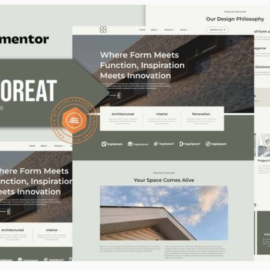
Geopro – Land Surveying & Digital Mapping Elementor Template Kit

Geopro – Land Surveying & Digital Mapping Elementor Template Kit
₹199.00
Geopro is an Elementor Template Kit designed for businesses aiming to establish a strong online presence in the land surveying and digital mapping industry. Perfect for Land Surveyors, Geospatial Analysts, Construction Survey Firms, and any business involved in providing precise and reliable land measurement and mapping services.
Add to cart
Buy Now
Geopro is an Elementor Template Kit designed for businesses aiming to establish a strong online presence in the land surveying and digital mapping industry. Perfect for Land Surveyors, Geospatial Analysts, Construction Survey Firms, and any business involved in providing precise and reliable land measurement and mapping services. GeoPro uses free elements, so don’t worry about trying this one. GeoPro provides various pages including Home, About Us, Team, Services, Project, Pricing, FAQs, Blog, 404, Contact Us.
Templates
- Home
- About Us
- Team
- Services
- Project
- Pricing
- FAQs
- Blog
- Blog Detail
- 404
Font Used
- Manrope
- Roboto
Plugins installed with kit :
- Elementor
- ElementsKit Lite
- Jeg Elementor Kit
- Metform
- Header & Footer Builder
How to Use Template Kits: This is not a WordPress Theme. Template kits contain the design data for Elementor only and are installed using the plugin for WordPress or directly through Elementor.
For further support, go to Elementor > Get Help in WordPress menu.
How to Import Metforms If you have Elementor Pro, skip install of Metform and form blocks.
- Import the metform block templates
- Import the page template where the form appears and right-click to enable the Navigator
- Locate and select the Metform widget and click Edit Form. Choose New, then Edit Form. The builder will appear
- Click ‘Add Template’ grey folder icon.
- Click ‘My Templates’ tab.
- Choose your imported metform template, then click ‘Insert’ (click No for page settings).
- Once the template is loaded, make any desired customizations and click ‘Update & Close’ The form will appear in the template
- Click Update