- Your cart is empty
- Continue Shopping



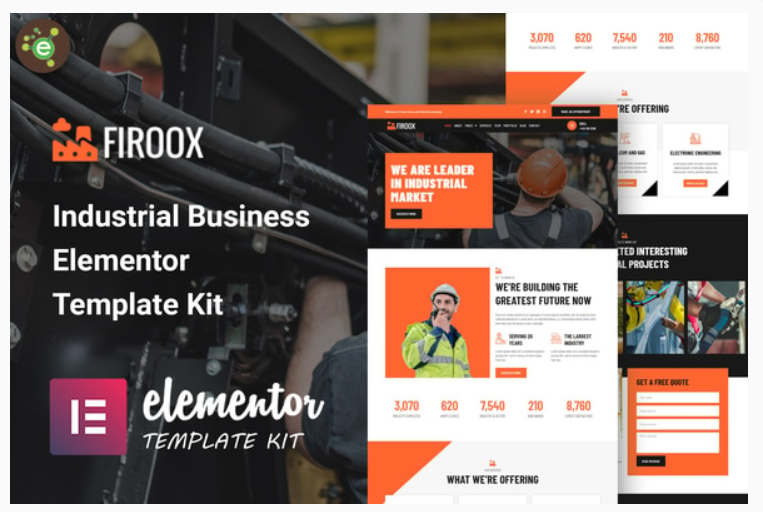
Firoox – Industrial Business Elementor Template Kit
Firoox – Industrial Business Elementor Template Kit
₹199.00
Firoox – Industrial Business Elementor Template Kitis an Elementor Template Kit for quickly and easily creating a full esport website for your clan, guild or gaming team. It is optimized for the free Hello Elementor theme but can be used with most themes that support the Elementor page builder. Customize fonts and colors via the built in Elementor Theme Styles controls and load in your photos, logos and content using the visual drag and drop builder. This kit is designed for use with Elementor Pro and includes support for Theme Builder global templates such as header, footer
Add to cart
Buy Now
Pages
- Home Page
- About Page
- Services Page
- Service Details Page
- Team Page
- Team Details Page
- Portfolios Page
- FAQ Page
- Appointment Page
- Construction Page
- Blog Page
- Blog Single Page
- Contact Page
- 404 Page
Sections
- Header Template
- Footer Template
- Hero Section
- About Section
- Counter Section
- Services Section
- Portfolio Section
- Team Section
- Testimonials Section
- Quote Section
- Clients Section
- Blog Section
Firoox – Features
- Elementor Pro is Required
- 14 Incredible Template Pages
- 12 different sections
- 26 Awesome Elements Templates
- Clean, Professional, and Unique Design
- Google Fonts – easily expand to 600 Google Fonts
- and much more!
Required Plugins (included)
- Elementor
- ElementsKit Lite
- Essential Addons for Elementor
How to Use Template Kits:
- Do not unzip
- Go to Elements > Installed Kits and click the Upload Template Kit button.
- Before importing a template, ensure the Install Requirements button is clicked to activate required plugins
- For best results, do not import more than one template at a time.
- Go to Pages and create a new page and click Edit with Elementor
- Click the gear icon at lower-left of the builder to view page settings and choose Elementor Full Width and hide page title
- Click the gray folder icon to access My Templates tab and then Import the page you’d like to customize
Related products