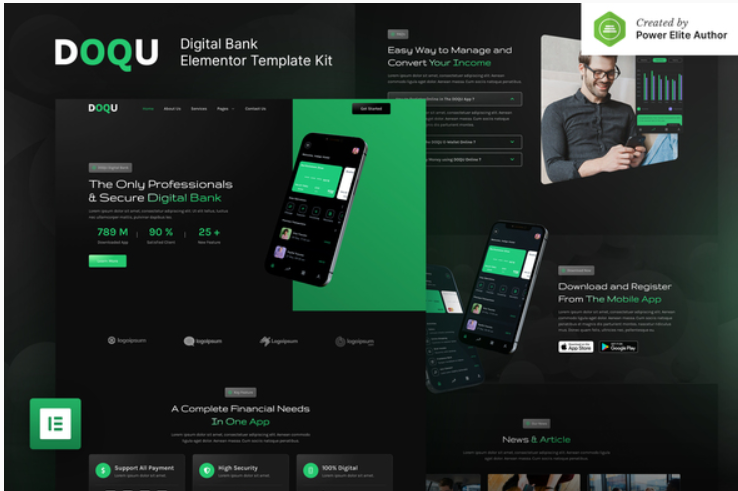
DOQU – Dark Digital Bank & E-Wallet Elementor Template Kit

DOQU – Dark Digital Bank & E-Wallet Elementor Template Kit

199.00

DOQU is a modern Elementor Template Kit with a dark style UI that is perfect to create a pro-level WordPress-based website for Digital Bank, E-Wallet, Fintech Startup, Blockchain, Cryptocurrency, and all kinds of Financial Technology websites. This template has a beautiful vibrant gradient style with a 100% responsive layout, retina-ready, and very easy to customize because using Elementor so you don’t need a single line of coding!

199.00

Add to cart
Buy Now
Description

Product Description

DOQU is a modern Elementor Template Kit with a dark style UI that is perfect to create a pro-level WordPress-based website for Digital Bank, E-Wallet, Fintech Startup, Blockchain, Cryptocurrency, and all kinds of Financial Technology websites. This template has a beautiful vibrant gradient style with a 100% responsive layout, retina-ready, and very easy to customize because using Elementor so you don’t need a single line of coding!

This template kit includes stunning carefully crafted 14+ stunning templates, you can build your professional-looking business website just in a click away.

Features:

  • Using Free Plugins (Elementor Pro is not required)
  • Modern, Classic & Clean Design
  • 14+ Ready to use templates
  • Fully Responsive Layout
  • Retina Ready
  • Fully Customizable
  • Cross Browser Compatibility: Chrome, Firefox, Safari, Opera

Templates Include:

  • Home
  • About Us
  • Services
  • Promo
  • News
  • Single News
  • 404 Page
  • FAQ
  • Team
  • Contact Us
  • Metform – Contact Us Form
  • Header
  • Footer
  • Global Theme Style

Required Plugin:

  • Elementor
  • Jeg Elementor Kit
  • Elementor – Header, Footer & Blocks
  • Metform

How to Install:

  1. Install and Activate the “Envato Elements” plugin from Plugins > Add New in WordPress
  2. Do not unzip
  3. Go to Elements > Installed Kits and click the Upload Template Kit button.
  4. Before importing a template, ensure the Install Requirements button is clicked to activate required plugins
  5. For best results, do not import more than one template at a time.
  6. Go to Pages and create a new page and click Edit with Elementor
  7. Click the gear icon at lower-left of the builder to view page settings and choose Elementor Full Width and hide page title
  8. Click the gray folder icon to access My Templates tab and then Import the page you’d like to customize