- Your cart is empty
- Continue Shopping



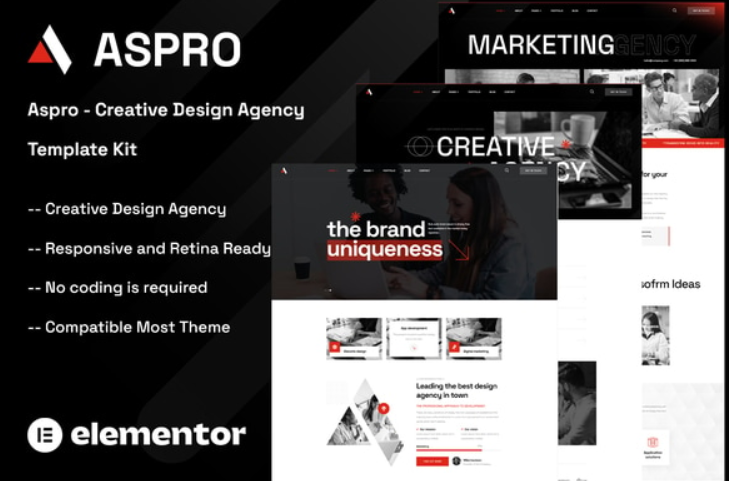
Aspro – Creative Design Agency Elementor Template Kit
Aspro – Creative Design Agency Elementor Template Kit
₹199.00
Aspro – Creative Design Agency Elementor Template Kit is a modern and clean Elementor Template Kit ideal for all agencies whether you are business an agency, web agency, freelancer, portfolio agency, web design company, web designer, digital marketing or any type of design agency websites and businesses
Add to cart
Buy Now
Aspro – Creative Design Agency Elementor Template Kit is a modern and clean Elementor Template Kit ideal for all agencies whether you are business an agency, web agency, freelancer, portfolio agency, web design company, web designer, digital marketing or any type of design agency websites and businesses
It is created with a clean and modern design aesthetic, and it includes a slew of tools and features that make it simple to display showcase your services, introduce your talented team, display your best projects.
This template has a professional design with a 100% responsive layout, is retina-ready, and is incredibly easy to edit because it is built with Elementor, which means you don’t need to write a single line of code!
Required Plugins :
- Elementor (Free)
- Themesflat Addons For Elementor (Free)
- MetForm
- ElementsKit Lite
Kit Key Features:
- Creative Design Agency
- No Coding Knowledge
- Fully with Elementor free version ( Elementor Pro is not required )
- Header & Footer Builder Included
- Unique and Modern Style.
- Super Clear and Clean Layout
- Cross browser compatible
- Post Widget
- Carousel Slide Box ( Create sliders with anything )
- Responsive and Retina Ready
- Compatible with most WordPress theme
- Optimized for search engines
How to Use Template Kits: This is not a WordPress Theme. Template kits contain the design data for Elementor only and are installed using the plugin for WordPress or directly through Elementor.
- Download your kit file and do not unzip it. If you use Safari browser you may need to ensure “Open safe files after downloading” is disabled in the browser preferences.
- Go to Settings > Permalinks and ensure Post Name is selected
- Go to Appearance > Themes > Add New and ensure Hello Elementor is installed and activated. This will prompt you to install Elementor if you haven’t already.
- Go to Plugins and ensure Elementor and installed and at the latest version. If your kit requires Elementor Pro, it must be installed now and connected to your account.
- Go to Elements > Installed Kits and click Upload Template Kit Zip (or click your kit to view it)
- Check for the orange banner at the top and click Install Requirements to load any plugins the kit uses.
- Click import on the Global Kit Styles first. This will setup the site settings.
- Click Import on one template at a time in the order shown. These are stored in Elementor under Templates > Saved Templates and are re-used from here.