- Your cart is empty
- Continue Shopping



Agenze – The Digital Agency Elementor Template Kit
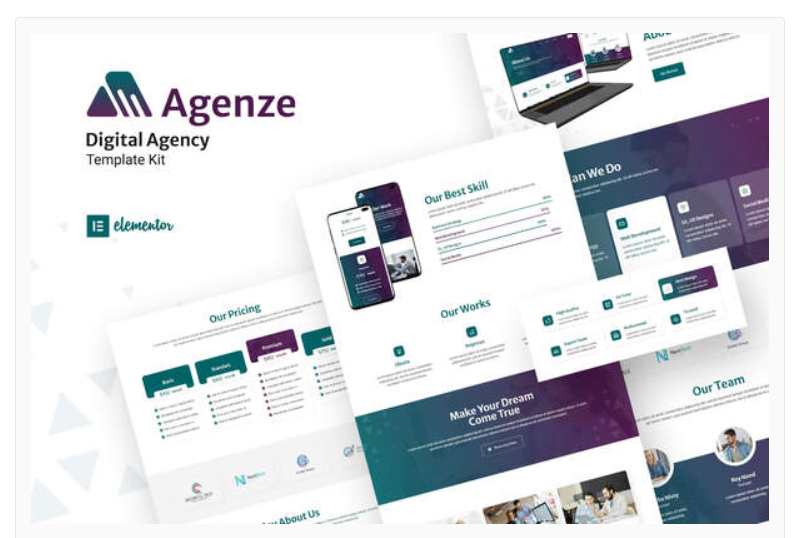
Agenze – The Digital Agency Elementor Template Kit
₹199.00
Agenze provide you with modern and creative way to brand your business. Agenze template kit has various page including Home, About Us, Team, Services, Work, Blog, FAQs, Pricing1, Pricing2, Contact Us, 404
Add to cart
Buy Now
Plugin Dependencies :
- Elementor
- ElementsKit
- Metform
- Header, Footer & Blocks Template
Templates
- Home
- About Us
- Team
- Service
- Work
- Blog
- FAQs
- Pricing1
- Pricing2
- Contact Us
- 404
Font Used
- Merriweather Sans
- Roboto
How to Use Template Kits:
- Install and Activate the plugin from Plugins > Add New in WordPress
- Do not unzip
- Go to Elements > Installed Kits and click the Upload Template Kit button.
- Before importing a template, ensure the Install Requirements button is clicked to activate required plugins
- For best results, do not import more than one template at a time.
- Go to Pages and create a new page and click Edit with Elementor
- Click the gear icon at lower-left of the builder to view page settings and choose Elementor Full Width and hide page title
- Click the gray folder icon to access My Templates tab and then Import the page you’d like to customize